
Awenvia – Automated SEO Content & Multi-channel Solution for Global Shopify Merchants
Awenvia helps Shopify merchants automate the entire content workflow: from syncing real product catalog data, discovering keywords from Google Search Console, to one-click publishing across Blog, Pinterest Rich Pins, and Social. Try 14 days free.
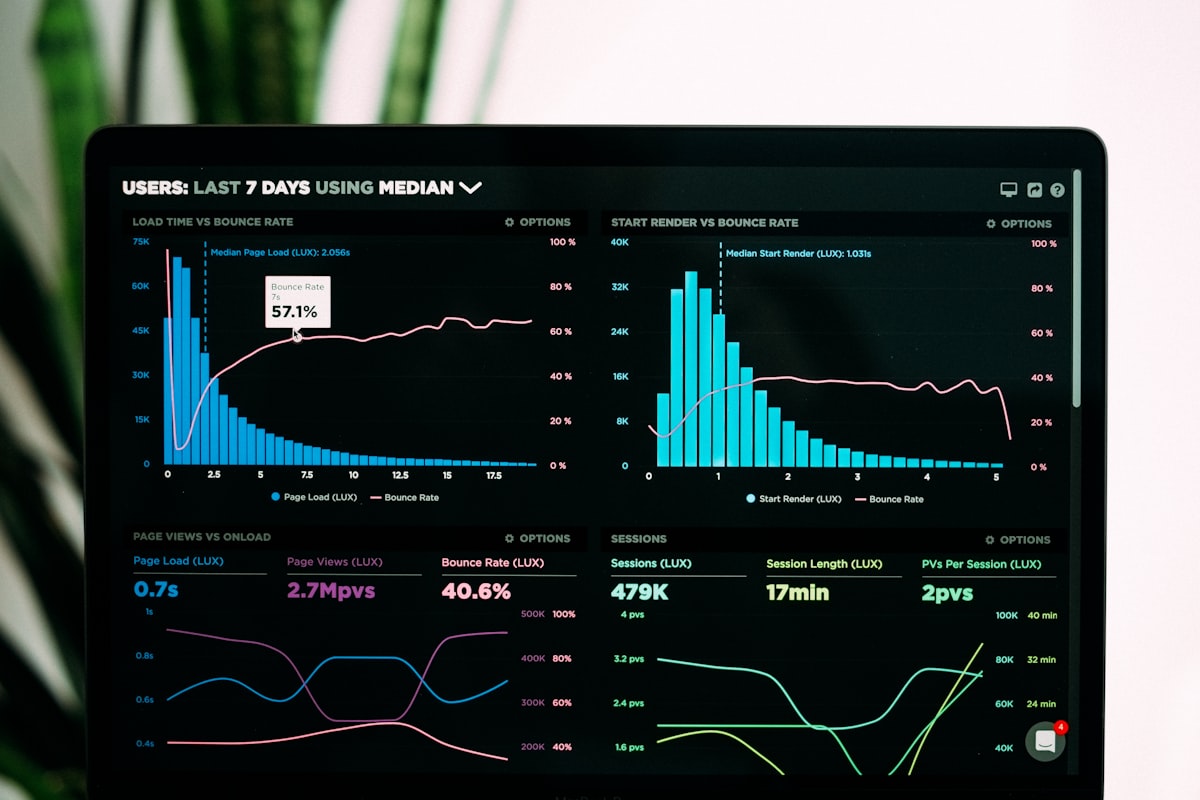
Every morning, Shopify store owners face the same problem: hundreds of products need blog posts, SEO optimization, Pinterest pins, social scheduling — but there are only 24 hours and one pair of hands.
Almost every merchant has been stuck in this loop: hire cheap writers → posts get product specs wrong → waste time fixing → publish manually per channel → forget Rich Pin optimization → Pinterest traffic flatlines at zero. Awenvia was built to end this loop — not with vague AI promises, but with real data from your Shopify catalog and real search signals from Google Search Console.
1. The Pain Points of Shopify Merchants (The Problem)
Writing blog posts manually for hundreds of products takes too much time
An average Shopify store has 200–500 SKUs. Writing one SEO-standard blog post per product takes 2–3 hours (keyword research, writing, on-page optimization, image creation, publishing). For 200 products → 400–600 hours just for content. That’s 50–75 working days straight — not counting updates when prices, sizes, or inventory change.
Using generic ChatGPT/AI often produces hallucinations — wrong dimensions, materials, specs
Generative AI doesn’t know your catalog. It hallucinates “M/L/XL” for products that only come in “S”, writes “100% cotton” for polyester blends, merges product A’s image into product B’s description. Every hallucination is a return risk, a complaint, a trust loss.
Lack of synchronization between Blog posts, Pinterest images, and Social posts
Blog post optimized for “men’s t-shirt size M” → Pinterest pin uses “women’s t-shirt” image → Instagram caption says “50% off” but store isn’t running a sale. Customers see inconsistent content → trust drops → conversions drop. Multi-channel isn’t “posting at the same time” — it’s “consistent, accurate, channel-appropriate content.”
2. How Awenvia Solves This (The Solution)
Direct Shopify Catalog Sync: Pull real data from SKUs, variants, product images (0% misinformation guarantee)
Awenvia connects via Shopify Admin API (read_products, read_product_listings) to pull your full catalog: titles, handles, variants (size, color, material), images, prices, inventory, metafields. Every piece of content renders from true source-of-truth data — no hallucinations, no guessing, no manual copy-paste.
Real example: Product “Unisex Hoodie” has variants: Size (S/M/L/XL), Color (Black/White/Grey), Material (80% Cotton + 20% Polyester), Weight (450gsm). Awenvia auto-generates: “Unisex Hoodie Size M - Black, 80% Cotton, 450gsm — perfect for fall/winter” instead of “Nice hoodie size M, comfortable fit.”
 Catalog sync UI — every SKU, every variant, every metafield pulled accurately.
Discover Search Demand from Google Search Console: Auto-rank keywords that drive orders instead of guessing
Most merchants write by “gut feel” or copy competitors. Awenvia integrates Google Search Console API (searchanalytics.query) to analyze:
- Queries with high impressions but low CTR → title/meta optimization opportunities
- Queries in positions 10–20 → push to top 10 with content clusters
- “Purchase-intent long-tail” queries (e.g., “buy cotton hoodie size L cheap”) → prioritize first
The system auto-scores keywords on: Impressions × CTR_potential × Purchase_Intent_Score → outputs an ROI-prioritized content calendar, not vanity volume.
 Google Search Console keyword analysis — each keyword scored for conversion potential.
Safe Approval Gate: You always review and approve every post before publishing
AI writes, humans decide. Awenvia designs the flow: Draft → Review → Approve → Publish. At Approve, you see:
- Full rendered post (HTML + Markdown)
- Automated on-page SEO checklist (H1, H2, keyword density, internal links, schema)
- Pinterest Rich Pin preview (title, description, product tag)
- Social Card preview (Open Graph, Twitter Card)
- Warnings: duplicate content, missing alt text, broken links, schema errors
Only when you hit “Approve & Publish” does the post go live to your store and social channels. No silent publishes, no auto-runs while you sleep.
 Approval gate — preview everything, one-click approve, system handles the rest.
Multi-channel in One Click: Auto-publish to Shopify Blog, create Pinterest Rich Pins, and generate Social content
After Approve, Awenvia executes parallel publishing:
| Channel | Action | Format |
|---|---|---|
| Shopify Blog | POST /admin/api/2024-01/articles.json |
Full HTML, Article/Product schema, canonical URL |
| Pinterest Rich Pins | POST /v5/pins + Product Rich Pin meta |
og:type=product, og:price:amount, og:availability |
| Facebook/Instagram | Graph API /me/feed + Media Container |
Carousel/Reels/Static, product tag ready |
| X (Twitter) | API v2 /tweets + Card metadata |
Summary Large Image Card |
| UGC Post API | Document/Article share |
Each channel has its own template (prompt engineering per platform) — 1500-word blog → 200-char benefit-driven Pinterest pin → Instagram caption with 3 niche hashtags + CTA → 5-tweet thread (hook-value-CTA).
 One “Publish” click — live on 5 channels simultaneously, each optimized for its platform.
3. Video Demo: Watch Awenvia in Action (3 min)
Demo video from @RivynApps — real screen recording of the flow: Sync Catalog → GSC Keywords → Generate Draft → Approve → Multi-channel Publish. Watch to understand the workflow before trying.
4. Call to Action & Backlinks (CTA)
Start your 14-day free trial at Awenvia Official
No credit card. No commitment. Full features: Catalog Sync, GSC Keywords, Approval Gate, Multi-channel Publish (Blog + Pinterest + Social). Test the full workflow with your actual store catalog.
Start 14-day free trial
No card required · Cancel anytime · 5-min setup
Start free trial →* Visit awenvia.com for full features & pricing
Read the complete technical guide at Awenvia Shopify Workflow Guide
Complete technical docs: data flow architecture, API reference, webhook events, common troubleshooting, best practices for large stores (10k+ SKUs), migration from other tools.
Quick Comparison: Awenvia vs Manual vs Generic AI
| Criteria | Manual (Writer + Canva + Buffer) | ChatGPT/Claude Standalone | Awenvia |
|---|---|---|---|
| Product info accuracy | Writer-dependent (often wrong) | Very low (30–40% hallucination) | 100% from Shopify catalog |
| SEO keyword research | Manual Ahrefs/Semrush (2–3h/post) | No real GSC data | Automated from GSC API |
| Time/post (500 SKUs) | 2–3 hours | 15 min (but inaccurate) | 3–5 min (review + approve) |
| Cross-channel consistency | Manual copy-paste (error-prone) | Separate prompts per channel | 1 click, platform-specific templates |
| Control & approval | Full | None (generate = done) | Mandatory Approval Gate |
| Schema/Structured Data | Manual / plugin | Not auto-generated | Auto Article + Product schema |
| Pinterest Rich Pins | Manual meta / plugin | Not supported | Auto Product Rich Pin |
| Monthly cost (500 SKUs) | $2,000–5,000 (team/freelance) | $20–50 (API) + fix time | $XX/mo (usage-based) |
Frequently Asked Questions (FAQ)
Is Awenvia free?
Yes, a 14-day free trial with no credit card required. After trial, paid plans are based on SKUs synced + posts published/month. Details at awenvia.com/pricing.
Does Awenvia publish directly to Shopify Blog?
Yes. Awenvia uses POST /admin/api/2024-01/articles.json with your OAuth token (write_blog_posts, read_products). Posts go live under your staff account with author, tags, SEO fields intact. You can edit later in Shopify Admin like normal.
Does Awenvia support Pinterest Rich Pins (Product Rich Pin)?
Yes — this is a key strength. Awenvia auto-injects og:type=product, og:price:amount, og:price:currency, og:availability, product:retailer_item_id into the blog post HTML. When the pin is created via Pinterest API, Pinterest auto-detects it as a Product Rich Pin — showing price, availability, “Buy” button directly on the pin.
Is Awenvia suitable for dropshipping / print-on-demand stores?
Highly suitable. Dropship/POD often have large catalogs (1000+ SKUs) with frequent variant changes. Awenvia auto-re-syncs catalog on schedule (default every 6h) or manual trigger — every price, size, image, description change from supplier → Shopify → Awenvia → content stays in sync.
Is my store data safe?
Awenvia requests minimum OAuth scopes only: read_products, read_product_listings, write_blog_posts, read_script_tags (for Rich Pin meta injection). No orders, no customers, no analytics access. Tokens encrypted at rest (AES-256), rotated every 90 days. See Security Whitepaper.
I have an in-house writer — do I still need Awenvia?
Writer + Awenvia = strongest combo. Writer handles: brand voice, storytelling, unique angles, quality review. Awenvia handles: data accuracy, SEO structure, multi-channel formatting, publishing logistics. Writer reviews 10 posts/day instead of writing 2/day → 5x output, consistent quality.
Conclusion: Content Operations Isn’t “Busywork” — It’s a Revenue System
Successful Shopify stores in 2026 don’t just sell — they publish like media companies. But no one hires a 10-person content team for 500 SKUs.
Awenvia turns catalog → content → traffic → orders into a measurable, optimizable, scalable system. You don’t need to master SEO, write code, or juggle 5 disconnected tools. You just: connect store → review → approve → watch traffic grow.
Ready to turn catalog into traffic? Start Awenvia 14-day free trial →
Note: Awenvia is currently at v0.4.2 (Sept 2026). Pinterest Rich Pin auto-detect, GSC keyword scoring v2, and LinkedIn publishing shipped last week. Q4/2026 roadmap: TikTok Shop affiliate content, Email newsletter auto-generate, Multi-store workspace. Follow the changelog for updates.